Parboiled brown rice is still “real, genuine brown rice”. It’s just been parboiled. It’s not fake rice somehow.

SatyrSack
- 1 Post
- 47 Comments
Joined 1 year ago
Cake day: August 25th, 2025
You are not logged in. If you use a Fediverse account that is able to follow users, you can follow this user.
 41·24 days ago
If it was free, I could imagine downloading it once to try it out. But I doubt I would ever run it again after trying it once. It doesn’t seem like a more interesting or efficient means of selecting content to watch or anything like that. I would also be wary about giving a closed-source program access to my media library.
But if it costed any fee, even just a one-time purchase of 1€, I wouldn’t be interested at all.
 2·25 days ago
It’s a slop bridge to play your slop games through the slop service on a different slop OS than the original slop OS that the slop service is actually made for.
If you use Windows, you can install that software to browse your registry. If you have already set up Flatpak via WSL or whatever, I can imagine that being a decent option.
Anubis is open source under the MIT license. If the branding is an issue, fork it, change the branding, call it good.
People complained when the Tesseract dev did that. Though that response may have been emotionally charged due to what was also happening with Tesseract.
All these comments about the URL being unprofessional or whatever, and I am just now realizing what they mean by that. I saw
anubis.techaro.loland didn’t get what about that was unprofessional. Professional tools can be named after mythological beings, etc. It wasn’t until seeing your comment here that I realizedlolmay seem unprofessional or something.
Mounted drives
They should show up in the bottom of the Places pane on the left, in the “Devices” section. If it literally cannot find them, then I can’t say anything about what is wrong.
Shared drive
You should be able to add a network folder in Places (the left pane) > Network > Add Network Folder (in the top menu). If that wizard doesn’t work, you should be able to do it manually by typing
sftp://trackendakracken@192.168.1.123or whatever into the URI bar and press enter.Enable text preview
Menu (the three lines button in the top right) > Configure Dolphin > Interface > Previews > Text Files
 46·1 month ago
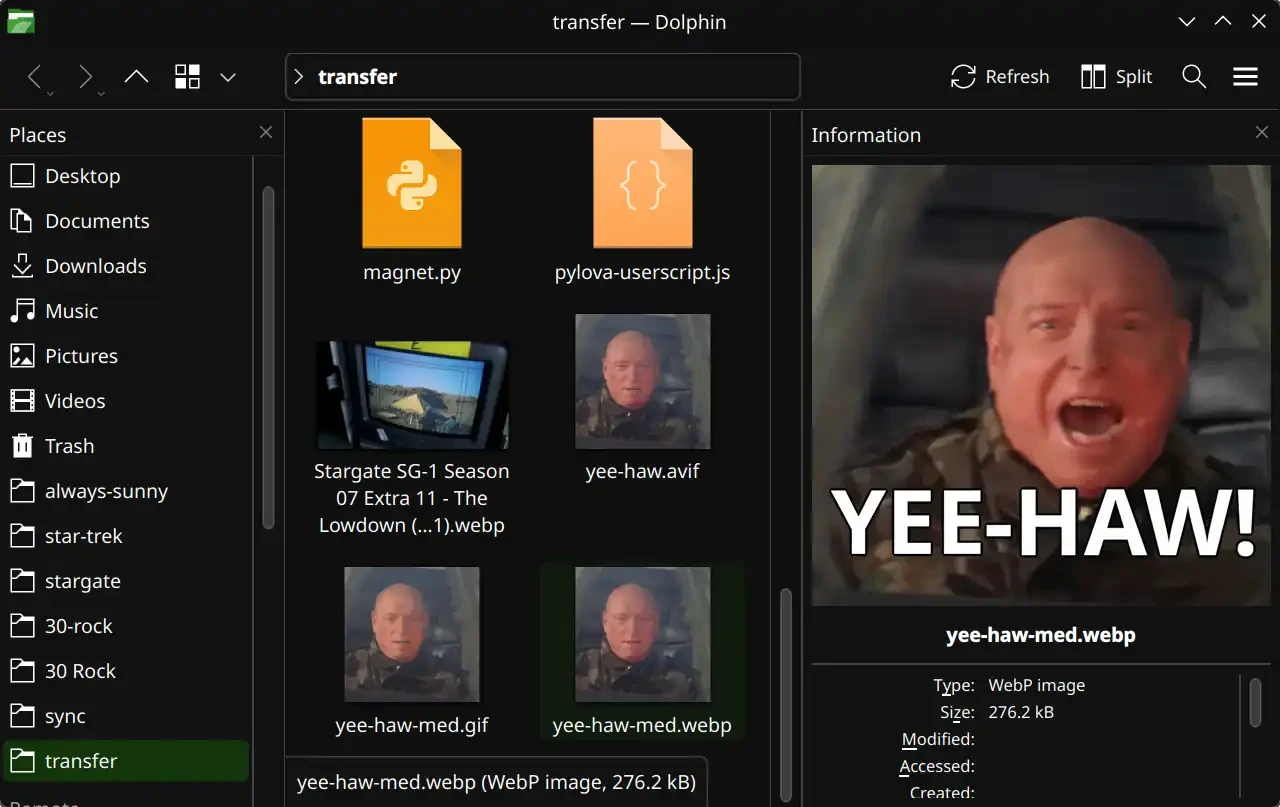
Dolphin seems to have that feature. Menu (the three lines button in the top right) > Show Panels > Information
If you already have Syncthing set up, yeah, it’s probably the simplest option. No need to install anything new, set up a new account somewhere, start a new Docker container, etc. I certainly haven’t tried all the options out there, but I don’t have any complaints about performance with this Joplin sync solution.
Certainly. This is what I do:
- Set up Syncthing normally (which you have obviously already done)
- Within the folder that you are synchronizing with Syncthing, create a new folder called
joplinor something - In Joplin (on desktop, mobile, and every device), set the synchronization target to your local filesystem.
- Configuration > Synchronization > Synchronization target > File system
- Point it to your
joplinfolder that you created in step 2
- Configuration > Synchronization > Directory to synchronize with (absolute path) >
/your/path/here/joplin
Leave it out in the rain to install Rust

If someone wants to publish on Steam, yeah, probably. But if Lepton works like Proton, the game doesn’t actually need to be distributed through Steam. For Proton, you can run basically any Windows executable file through Proton, even if you downloaded the file from somewhere other than Steam. I assume the plan is for Lepton to be able run basically any APK you throw at it regardless of where the APK came from. I just doubt that Lepton will bypass the Oculus DRM.
I think devs will have to ship a build that does not have the extra DRM and whatnot that is required to run on Oculus devices. The beauty of Lepton is just that developers won’t have to rewrite their game for a new architecture or anything. All they have to do (hypothetically) is export a new build of their project without the “include Oculus DRM” button checked. From what I understand, it’s not the exact same situation as Proton, just similar in many regards.
I remember using some “YouTube video downloader” website (the kind we all used before learning about yt-dl) to download an age-restricted video recently. I had tried several of those kind of sites, and most failed. But one site in particular did allow me to successfully download the age-restricted video that I wanted. Unfortunately, I do not remember the exact website that I had used. And honestly, with what I understand about how volatile these YouTube downloader websites are, I wouldn’t be surprised if that exact site doesn’t even exist by now anyway.
All that to say: try a bunch of YouTube downloader sites. That is unfortunately your best bet at this point. You just have to hope to find one that works with age-restricted videos.
So, every time I want to go back one frame, I have to open that plugin from the menu and then respond to that dialog window? That is certainly more cumbersome than the way MPV/Jellyfin do it, where scrubbing is just a keyboard shortcut. Even if I assigned a keyboard shortcut to activated that plugin (I assume that’s possible), I still have to respond to that dialog box?

When I scrub through a video to get the perfect frame to screenshot, the experience is usually something like:
- Pause video, no that’s not the right frame
- Scrub back five frames, not right
- Scrub forward one frame, looks closer
- Scrub forward one frame, looks closer
- Scrub forward one frame, that’s almost what I want
- Scrub forward one frame, that’s worse, I guess I went too far
- Scrub back one frame, settle on that one
Using MPV, that’s pretty simple because each step there is just a keystroke that takes zero effort and zero time. But if each of those steps also required me to respond to a dialog box, that would just make the process tedious.
That’s not as common of an occurrence as multiple versions of movies, but I have sure had a few instances when I wanted that for a TV show episode as well. That is certainly a welcome feature that I am looking forward to.
,and.scrub frame-by-frame during playback
That is exactly how MPV does it. But from what I remember, VLC devs claim it’s impossible, so VLC only allows you to scrub forward frame-by-frame, not backward. You can skip backwards in three-second increments or whatever, just not frame-by-frame at all. It’s the main thing that keeps me using MPV as my default video player, because I frequently skip around videos trying to get a screenshot of the perfect frame to use to make a meme or something. Being able to scrub frame-by-frame in both directions is a big deal.
It’s set to “Unrestricted”:
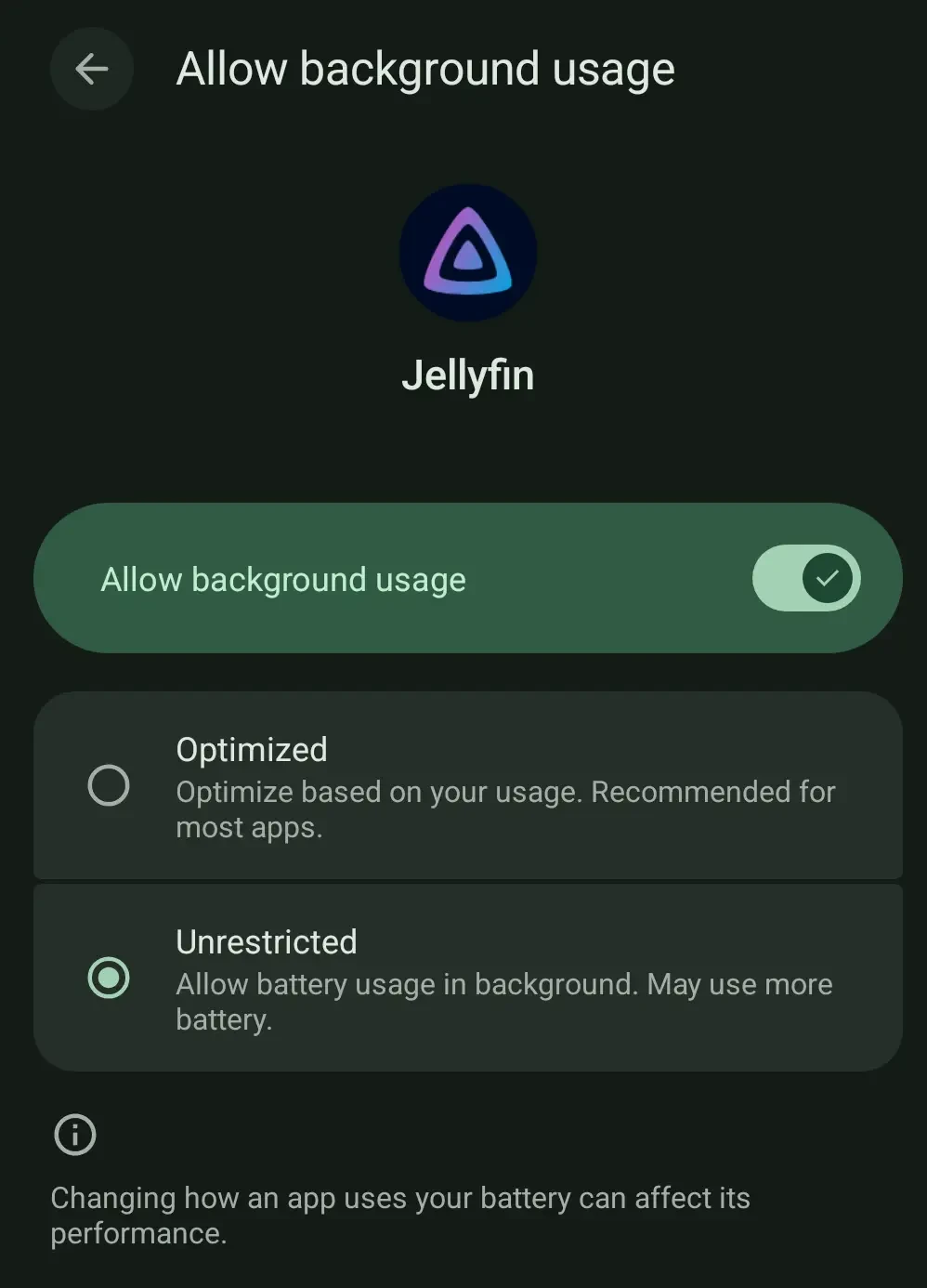
Besides, like I say, the video does keep playing in the background, it is just the audio that cuts out after a few seconds.

On the other hand
With that said