
I just tried Plasma Bigscreen via KDE Neon in a VM. Everything related to PC->TV automation worked as expected, aside from two fixed bugs related to missing greeter service setup and an old systemd bug still biting folks from ubuntu 24.04 based distros.
- https://github.com/TisVlay/TisVlay/pull/246
- https://github.com/TisVlay/TisVlay/pull/247
- https://github.com/TisVlay/TisVlay/releases/tag/v0.5.2
I’ll note that the TisVlay UI isn’t yet friendly for gamepad input navigation that Plasma Bigscreen encourages, so that’s room for improvement in the Slint interface. Thanks for the leads.
But having things like power and volume control on my phone would be really nice QoL improvements.
I know on KDE Connect, there is a “Run Command” button in the android app UI. You could use that to run the TisVlay CLI to automate TV related macros (chaining power/input/volume commands), or just use the system/user profiles to drive the TV based on standard events like moving mouse/keyboard or other HID that would wake wayland’s idle timeout.
I currently need to use my TV remote for power and input selection and my speaker remote for volume (though at least Jellyfin has its own volume control too).
TisVlay can switch inputs on power for backends with input capability bits (like LG WebOS), and for as for HDMI-CEC backend - the TV firmware normally switch to the port that sent the CEC power to the TV already. But for speaker bars/stereos, that’s another idea to add to the HDMI-CEC backend. Perhaps I should extend TisVlay to control/monitor other device classes on the TV’s same CEC bus… That’d be cool for a next release.




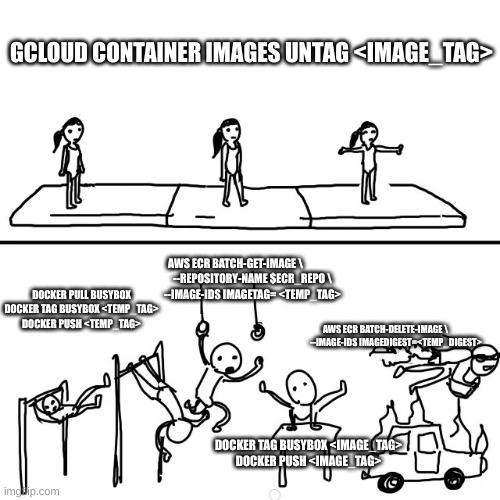
I took an initial pass at implementing a “couch mode” for remote/gamepad navigation of the GUI while using Plasma Bigscreen, then made another release if you want to try it out:
https://github.com/TisVlay/TisVlay/pull/248#issuecomment-6717483735
Everything is now more reachable, but it still took a lot of extra slint code, so I may raise that with upstream with folks at SixtyFPS to ask about simpler patterns for special navigation. Also asked the KDE devs if they have any more recommendations on human interface guidelines:
https://discuss.kde.org/t/app-design-and-interface-guidelines-targeting-plasma-bigscreen/51666?u=ruffsl